


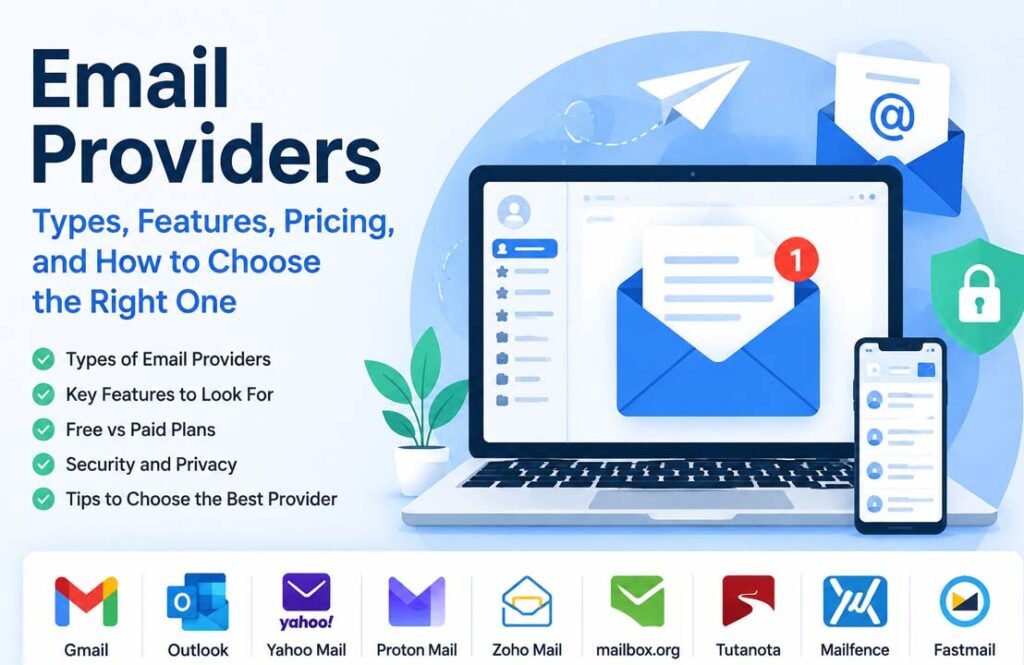
Email providers make it possible to send, receive, and manage emails. They are used for personal communication, work, education, online shopping, banking, and many other daily activities. Today, there are hundreds of email services, ranging from free personal accounts to business platforms with advanced security and collaboration tools.
Many people search for the best email provider because they want more storage, stronger security, better privacy, custom domain support, or useful productivity features. Others simply want an email service that is reliable and easy to use.
In this guide, you’ll learn what email providers are, how they work, the different types available, the features to look for, how secure email services differ from regular ones, and how to choose the right provider for your needs.
What Are Email Providers?
An email provider is a company or service that lets you create an email account so you can send and receive messages over the internet. Besides delivering emails, most providers also store your messages, manage contacts, filter spam, and keep your inbox organized.
Today, email is one of the most widely used forms of communication. People use it to stay in touch with family and friends, communicate at work, receive online receipts, manage social media accounts, sign in to websites, and access cloud services.
Although all email providers perform the same basic job, they are not all the same. Some focus on simplicity and large storage, while others place greater importance on privacy, security, or business collaboration.
For example, services like Gmail and Outlook offer broad productivity features and work well with many online tools. Secure providers such as Proton Mail and Tuta are designed to protect sensitive information through advanced encryption and privacy-focused policies.
Some providers are built mainly for businesses. These services often include custom domain support, shared calendars, team collaboration, administrative controls, and integrations with office software.
There are also temporary email providers that create disposable email addresses. These are useful when signing up for websites without sharing your primary email address.
Choosing the right email provider depends on how you plan to use your account. A casual user may only need a free inbox, while a business or someone handling confidential information may benefit from stronger security and additional features.
How Email Providers Work
Email providers use a network of servers to deliver messages between senders and recipients. Although the process happens in seconds, several steps take place behind the scenes.
When you write an email and press Send, your provider transfers the message to its outgoing mail server. The server checks the recipient’s address and then sends the email across the internet to the receiving provider.
The receiving provider accepts the message, scans it for spam or malicious content, and stores it in the recipient’s mailbox. The recipient can then read the email from a web browser, desktop application, or mobile app.
Most email providers keep your messages on their servers so they stay synchronized across all your devices. If you read an email on your phone, the same message will already appear as read on your laptop or tablet.
Modern providers also include search tools, folders, labels, filters, and categories to help users organize large numbers of emails more easily.
How Email Security Works
Security is an important part of every modern email service. Most providers use encryption while messages travel between servers to reduce the risk of interception.
Privacy-focused email providers often go further by using end-to-end encryption. With this method, only the sender and the intended recipient can read the message. Even the email provider cannot view the contents.
Some secure providers also use zero-access or zero-knowledge encryption. This means emails remain encrypted even while stored on the provider’s servers, making unauthorized access much more difficult.
In addition to encryption, many providers offer features such as:
- Two-factor authentication (2FA)
- Spam filtering
- Phishing protection
- Malware scanning
- Login alerts
- Account recovery options
These tools work together to help protect both your account and your personal information.
Types of Email Providers
Not every email provider is designed for the same purpose. Some focus on everyday communication, while others are built for businesses or users who need stronger privacy. Understanding the main types can help you choose the service that best matches your needs.
Free Email Providers
Free email providers are the most common option. They allow users to create an account without paying a subscription fee.
Most free services include web access, mobile apps, basic spam protection, and cloud-based storage. However, they usually have storage limits, fewer advanced features, and may encourage users to upgrade to paid plans for additional benefits.
These services are suitable for personal communication, online accounts, shopping, and everyday use.
Paid Email Providers
Paid email providers charge a monthly or yearly fee in exchange for additional features.
Compared with free plans, paid accounts often provide:
- More storage
- Larger attachment limits
- Custom email domains
- Priority customer support
- Better security options
- Additional productivity tools
Paid plans are popular with professionals, freelancers, and businesses that need more flexibility than a free account can offer.
Secure Email Providers
Secure email providers are designed to protect user privacy and sensitive information.
Many of these services use end-to-end encryption so only the sender and recipient can read messages. Some also use zero-access encryption, meaning the provider cannot access stored email content.
Depending on the provider, users may also receive features such as:
- Open-source applications
- Anonymous email aliases
- Tracker blocking
- Privacy-first policies
- Transparency reports
- Strong authentication methods
Secure email providers are commonly used by journalists, businesses, legal professionals, healthcare organizations, researchers, and anyone who values online privacy.
Business Email Providers
Business email providers are built for organizations rather than individual users.
These services usually allow companies to create professional email addresses using their own domain name instead of a public email address.
Business platforms often include shared calendars, contacts, collaboration tools, administrative controls, cloud storage, and integrations with office software or customer management systems.
Many also offer stronger security controls and compliance features that help organizations meet industry requirements.
Temporary Email Providers
Temporary email providers create disposable email addresses that exist for a short period.
These addresses are commonly used when signing up for websites, downloading files, or testing online services without exposing a personal email address.
Most temporary services automatically delete emails after a certain amount of time. While they help reduce spam, they are not intended for long-term communication or important accounts.
Hosted Email Services with Custom Domains
Hosted email services allow individuals and businesses to use email addresses linked to their own domain names.
For example, instead of using a public email address, a company can create addresses such as:
Custom domains help businesses appear more professional and improve brand recognition. Many secure and business email providers support this feature through their paid plans.
Features to Look for in an Email Provider
Choosing between email providers is easier when you know which features matter most. The right choice depends on how you use email, whether for personal communication, work, or business.
Storage and Attachment Limits
Storage determines how many emails and attachments you can keep before your inbox becomes full. Free plans usually include limited storage, while paid plans offer much more space.
Attachment limits are also important if you regularly send documents, images, or videos. Some business-focused providers allow much larger attachments than free services.
Spam and Phishing Protection
Most modern email providers automatically filter unwanted messages before they reach your inbox.
Many services also detect phishing emails, suspicious links, and malware. Although these tools improve security, users should still be careful when opening attachments or clicking unknown links.
Email Organization
Good email providers make it easy to manage large inboxes.
Common organization features include:
- Folders and labels
- Filters and rules
- Search tools
- Categories
- Archive options
- Conversation view
These tools help users quickly find important emails.
Calendar, Contacts, and Productivity Tools
Many providers include more than email.
Depending on the service, you may also get:
- Calendar
- Contact management
- Notes
- Task lists
- Online documents
- Cloud storage
- Video meetings
These features are especially useful for businesses and teams.
Custom Domains and Email Aliases
Businesses often prefer email addresses using their own domain, such as info@company.com.
Many paid email providers support custom domains. They also allow email aliases, which create additional addresses that forward messages to the same inbox. Aliases help organize work and reduce spam.
Mobile and Desktop Apps
Most leading email providers support:
- Web browsers
- Android
- iPhone and iPad
- Windows
- macOS
- Linux (supported by some providers)
Cross-device synchronization allows you to access the same inbox from multiple devices.
Integrations
Some providers connect with other services, including:
- Office software
- Cloud storage
- Customer relationship management (CRM) tools
- Team collaboration platforms
- Productivity apps
If you already use a particular software ecosystem, choosing an email provider with compatible integrations can improve your workflow.
Best Secure Email Providers
Many secure email providers focus on protecting user privacy instead of collecting personal data. They usually offer stronger encryption and additional security features than standard email services.
Proton Mail
Proton Mail is based in Switzerland and is one of the best-known secure email providers.
It offers end-to-end encryption, zero-access encryption for stored data, and open-source applications. Depending on the plan, users can also access Proton Drive, Proton Calendar, Proton VPN, and a password manager.
Free accounts include limited storage, while paid plans provide more storage, custom domains, aliases, and additional tools.
Proton Mail is well suited for individuals, professionals, and businesses that want strong privacy with an easy-to-use interface.
Tuta
Tuta is a privacy-focused email provider based in Germany.
It uses end-to-end encryption and also encrypts subject lines, contacts, and calendars. The service is open source and supports two-factor authentication.
Unlike many providers, Tuta does not support IMAP, POP3, or SMTP because it focuses on maintaining end-to-end encryption.
Its free plan makes it a good choice for users who want strong security without paying for a subscription.
Mailbox.org
Mailbox.org is another German provider known for privacy and business features.
It supports OpenPGP encryption and includes cloud storage, calendars, office applications, task management, and video conferencing.
One feature that makes Mailbox.org different is its use of renewable energy to operate its services.
It does not offer a free plan but remains one of the more affordable paid secure email providers.
Mailfence
Mailfence is based in Belgium and combines secure email with productivity tools.
It offers OpenPGP encryption, calendars, contacts, document storage, and collaboration features. It also supports custom domains and business accounts.
Mailfence is a good option for users who want both privacy and team collaboration.
PreVeil
PreVeil focuses on organizations that require strict security and regulatory compliance.
Unlike many providers, it works alongside existing email services such as Outlook and Gmail instead of replacing them completely.
It supports healthcare, government, defense, and other industries that must meet strict compliance standards.
Zoho Mail
Zoho Mail is designed mainly for businesses.
It includes strong security, custom domains, collaboration tools, calendars, contacts, and integrations with other Zoho products.
While Zoho provides secure communication using industry-standard encryption, its main focus is business productivity rather than maximum privacy.
Other Secure Email Providers
Several other secure email providers are worth considering.
- StartMail focuses on privacy and unlimited email aliases.
- CounterMail offers diskless servers and anonymous registration for users who require maximum security.
- Posteo combines affordable pricing with privacy and environmentally friendly hosting.
- Fastmail is known for speed, reliability, and business features, although it does not provide end-to-end encryption.
- Guerrilla Mail creates temporary disposable email addresses for short-term use.
Free vs Paid Email Providers
Free email providers are suitable for many everyday users. They allow people to send emails, organize messages, and access their accounts from multiple devices without paying.
However, free plans usually come with limits on storage, attachment sizes, aliases, or advanced features.
Paid email providers often include:
- Larger storage
- Custom domains
- More aliases
- Better customer support
- Business tools
- Advanced security
- Collaboration features
- Higher attachment limits
For personal communication, a free account is often enough. Businesses, professionals, and users with higher privacy requirements may benefit from upgrading to a paid plan.
Privacy and Security
Privacy and security are among the biggest differences between email providers.
Standard providers usually encrypt emails while they travel across the internet using TLS. This protects messages during transmission but does not always prevent the provider from accessing stored data.
Secure email providers often add end-to-end encryption. Only the sender and recipient can read these messages.
Some services also use zero-access encryption, meaning they cannot decrypt stored emails even if requested.
Many secure providers include additional protections such as:
- Two-factor authentication (2FA)
- Open-source applications
- Security audits
- Spam filtering
- Phishing protection
- Tracker blocking
- Anonymous email aliases
- Transparency reports
The provider’s location also matters. Countries such as Switzerland, Germany, Belgium, and the Netherlands generally have stronger privacy laws than some other regions.
Pricing and Subscription Plans
Email providers offer different pricing models depending on the features included.
Many providers have free plans with basic storage and email functions.
Paid personal plans generally begin at around $1 to $4 per month, although prices vary by provider.
Family plans allow multiple users under one subscription and usually include shared storage.
Business plans typically charge per user each month. These plans often include custom domains, administrative controls, compliance tools, collaboration features, and additional storage.
Enterprise pricing is usually customized based on the size and needs of an organization.
When comparing plans, consider more than price. Storage, security, support, integrations, and productivity features can make one service a better value than another.
Pros and Cons of Different Email Providers
Pros
- Available for both personal and business use.
- Many providers offer free plans.
- Access your inbox from almost any device.
- Strong spam filtering and security tools.
- Secure providers offer advanced privacy features.
- Business services include custom domains and collaboration tools.
- Many providers integrate with calendars, cloud storage, and productivity software.
Cons
- Free plans often have limited storage and features.
- Some advanced security features require paid subscriptions.
- End-to-end encryption can make setup more complex.
- Not every provider supports all email protocols or integrations.
- Privacy-focused providers may have fewer convenience features than mainstream services.
How to Choose the Right Email Provider
The best email provider depends on your own needs.
If you mainly send personal emails, a reliable free provider may be enough.
If you run a business, consider features like custom domains, shared calendars, collaboration tools, and administrative controls.
If privacy is your main concern, look for providers that offer end-to-end encryption, zero-access encryption, open-source applications, and strong privacy policies.
You should also compare:
- Storage limits
- Pricing
- Mobile apps
- Desktop support
- Customer support
- Third-party integrations
- Security features
- Ease of use
Choosing the right provider is about finding the balance between convenience, security, privacy, and cost.
Common Problems and Troubleshooting
Login Problems
If you cannot sign in, first check your email address and password. If two-factor authentication is enabled, verify that you are using the correct verification code. If needed, use the account recovery options provided by your email service.
Sync Problems
Sometimes emails appear on one device but not another. Make sure your device has an internet connection, refresh the mailbox, and check that synchronization is enabled in your email settings.
Missing Emails
Emails may be filtered into Spam, Trash, Archive, or another folder. Search your mailbox before assuming a message has been deleted. Also check any email filters or forwarding rules you have created.
Spam Filtering Issues
If legitimate emails are marked as spam, move them back to your inbox and mark them as safe when your provider allows it. This helps improve future filtering.
Sending or Receiving Errors
These problems may happen because of storage limits, incorrect server settings, large attachments, or temporary service outages. Checking your provider’s status page can help identify ongoing issues.
Storage Full Warnings
When your mailbox reaches its storage limit, delete unnecessary emails or attachments, empty the trash folder, or upgrade to a larger storage plan if needed.
Two-Factor Authentication Problems
If you lose access to your authentication device, use your recovery codes or follow your provider’s account recovery process. Keeping backup codes in a safe place can prevent future problems.
Email Migration Challenges
Moving from one provider to another may take time. Many providers include import tools that copy emails, contacts, and calendars. Keeping your old account active during the transition helps prevent missed messages.
Tips for Using Email Providers Safely
Protecting your email account is just as important as choosing the right provider.
Some simple habits can greatly improve your security:
- Use a strong, unique password.
- Turn on two-factor authentication.
- Be careful with unexpected links and attachments.
- Keep your email apps updated.
- Review your security settings regularly.
- Use email aliases when signing up for unfamiliar websites.
- Back up important emails if they contain valuable information.
- Use encrypted email services when sending sensitive data.
Bottom Line
Email providers all perform the same basic task, but they differ in storage, features, privacy, security, and pricing.
For many people, a free email account is enough for everyday communication. Businesses often need custom domains, collaboration tools, and administrative controls. Users handling sensitive information may prefer secure email providers that offer end-to-end encryption and stronger privacy protections.
Before choosing an email provider, compare its features, security, storage, pricing, supported devices, and privacy policies. Selecting the service that best matches your needs will provide a better experience over the long term.
Frequently Asked Questions
What is an email provider?
An email provider is a service that lets you send, receive, store, and manage emails through the internet. Many providers also include calendars, contacts, cloud storage, and other productivity tools.
Which email provider is best for privacy?
Privacy-focused providers such as Proton Mail, Tuta, Mailbox.org, and Mailfence are well known for offering stronger privacy features, including encryption and privacy-first policies.
Are free email providers safe to use?
Yes. Most major free email providers include spam filtering, account protection, and encrypted connections. However, secure email providers generally offer stronger privacy protections than standard free services.
What is the difference between regular and secure email providers?
Regular email providers mainly focus on convenience and productivity. Secure email providers place greater emphasis on encryption, privacy, and protecting user data.
Do I need a paid email provider?
Not always. Free plans are suitable for many users. A paid plan is worth considering if you need more storage, custom domains, business features, or advanced security.
Can I use my own domain with an email provider?
Yes. Many paid business and secure email providers allow you to connect your own domain and create professional email addresses.
Which email providers offer end-to-end encryption?
Providers such as Proton Mail, Tuta, Mailfence, and several other privacy-focused services support end-to-end encryption for email communication.
How do I choose the right email provider for my needs?
Think about how you use email, then compare storage, security, privacy, pricing, supported devices, integrations, and business features before making your decision.
Read Next: MoviesJoy: Complete Guide to Free Movie Streaming, Features, Safety, and Alternatives
