


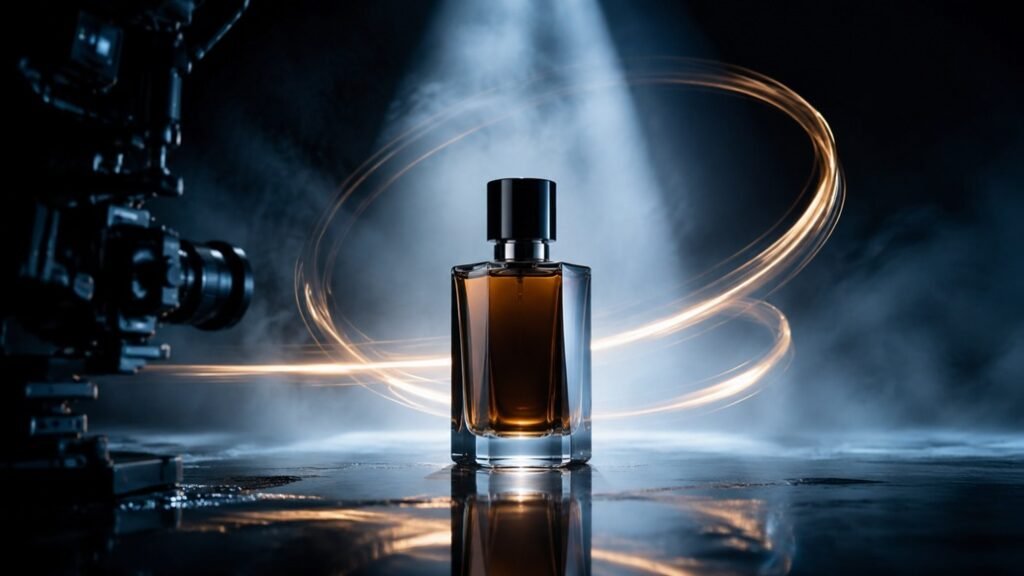
A strong product photograph already contains much of what a launch video needs: recognizable packaging, considered lighting, brand colors, and a clear visual hierarchy. The challenge is adding motion without losing those qualities. When an AI-generated clip changes the label, bends the packaging, or invents an entirely different material, the video may look impressive but become unusable for marketing.
The solution begins before generation. A product-image-to-video workflow works best when the source image, motion plan, and prompt all protect the same visual priorities.
Choose a reference image built for movement
Not every attractive product image is a good animation source. Select a high-resolution image with a clear silhouette and enough empty space around the product. Avoid hands covering important details, reflections that obscure the label, or backgrounds filled with fine patterns. The model needs a readable subject before it can animate that subject reliably.
Consider where movement can happen naturally. Steam can rise from a cup, fabric can ripple around a shoe, condensation can move across a bottle, or light can travel over a metallic surface. Motion that respects the physical material tends to look more convincing than an arbitrary transformation.
Define what cannot change
Create a short “visual lock” list before writing the creative direction. It might include:
- Preserve the product shape and proportions.
- Keep the label text and logo placement unchanged.
- Maintain the primary package color.
- Do not add hands, accessories, or extra products.
- Keep the hero product visible throughout the shot.
This list is different from the action. It tells the generator which details are identity-critical. The action can then stay simple: a slow turntable movement, a camera push-in, a lighting reveal, or a gentle environmental effect.
A reference-based tool such as Seedance AI can use images and other media to guide the subject, atmosphere, motion, and sound. The practical advantage is not merely turning a still image into movement; it is giving the generation a recognizable starting point.
Think in three launch-film moments
Most short product films can be organized into three moments. The opening creates curiosity, the middle delivers the clearest product view, and the ending provides a stable composition for branding or a call to action.
For a skincare launch, the opening might show soft reflections moving through water. The bottle then enters a clean hero composition while the camera advances slowly. Finally, the motion settles with negative space for a product name. Each moment is visually simple, but together they form a complete advertising beat.
Longer generation can help teams test this structure before editing. The Seedance 2.5 generator supports longer clips, including options up to 30 seconds, so creators can explore a complete visual arc or later extract shorter versions for social media.
Use precise camera language
Camera direction is one of the fastest ways to improve a product clip. “Cinematic camera movement” is too broad. State the movement and its speed: slow push-in, locked-off close-up, gentle left-to-right slide, or controlled half-orbit. Then describe the lens impression, such as a macro detail shot or a wide environmental view.
Avoid combining several camera movements in one short shot. A push-in, orbit, tilt, and rapid zoom competing at once can distort the product and make the result feel synthetic. One deliberate move usually looks more premium.
Let materials determine motion and sound
An effective product video communicates texture. Glass produces highlights and delicate contact sounds. Paper packaging suggests soft friction. Athletic fabric responds to air and body movement. A metal device can carry precise mechanical audio.
Describe these material cues instead of requesting generic “dramatic effects.” The more closely motion and sound follow the object’s physical character, the more believable the scene becomes. Audio should remain subtle enough that the product stays central.
Create variations without rebuilding the campaign
Once the hero shot works, create controlled variations. Keep the reference image and visual lock list unchanged, then test one difference per version: a warmer light, a faster opening, a vertical composition, or a new environmental texture. This gives the marketing team meaningful alternatives without sacrificing recognition.
The final video will often benefit from conventional editing. Add verified logo artwork, accurate product claims, pricing, captions, and legal text after generation. AI is strongest at producing the moving visual foundation; exact typography and regulated messaging deserve deterministic control.
Product-image-to-video generation is most useful when it extends an existing brand system. A clean reference, a short identity lock list, one clear camera move, and material-aware direction can turn a static campaign asset into a launch film while keeping the product—not the technology—at the center of attention.
