


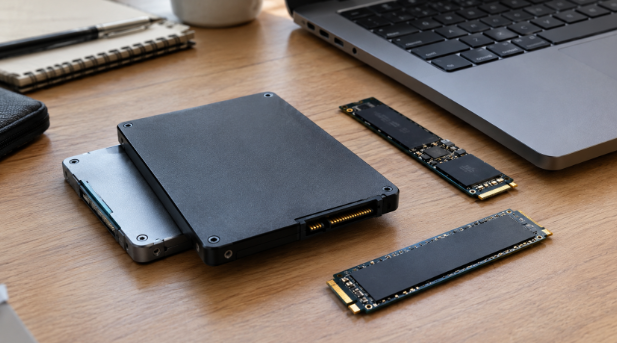
A slow PC makes simple operations become time-consuming frustrations. The time that is wasted on the boot process, application launching, or data transfer from large files can be frustrating and decrease productivity during the day. The storage device is an integral part of this issue; therefore, replacing your HDD with an SSD may help to improve the performance of the system. Flash memory will do its job better than a mechanical drive does.
1. Faster Data Access Improves System Responsiveness
An excellent SSD will be able to read stored information much faster than a conventional hard disk drive does. When companies look at the top solid-state drives, they could take advantage of drives that have been designed for reliable reading and writing of information while performing daily activities.
The reason why an SSD will be able to access information so fast is that there are no rotating platters and read heads in it. That means that data could be accessed electronically and much more quickly.
It becomes evident in everyday activities. The programs will start much faster, files will load quicker, and there will not be any lag even when multiple operations with storage are performed simultaneously.
2. Quicker Boot Times Reduce Waiting
The startup process will take quite some time if the computer uses the slow mechanical disk for its boot process. The SSD greatly helps reduce the time taken to access the operating system files during the startup process.
Instead of enduring the loading times, users will be able to get to the desktop much faster. This would be very helpful for use in the business setting where the computers are frequently powered up. The fast powering up of computers will be beneficial in saving time.
3. Applications Load More Quickly
A modern application may include a great deal of information that needs to be accessed from the storage in order to become completely operable. Solid-state drives can process such read requests much faster than regular hard drives.
As a result, software programs will load without a considerable delay. Application software that needs to access information in storage will run faster during regular usage.
Those people who are working with heavy software programs on a daily basis will find it helpful to get rid of the delays caused by the storage device.
4. Multitasking Becomes Smoother
The computers of today can operate a number of applications all at once. The computer might have opened up a browser, office suite, communication applications, databases, and many other applications at the same time.
The SSD is able to manage many data access demands quickly. Faster access to data will help prevent bottlenecks in accessing the information stored on the hard drive.
The SSD does not mean that enough RAM and processing power are not needed in the computer. It simply means that the storage aspect of the computer has improved.
Faster Storage Supports a More Efficient Workflow
The benefits of faster storage become more apparent as systems handle larger files and more simultaneous operations. Once storage is no longer creating unnecessary delays, the overall workflow can feel more direct and responsive.
5. Faster File Transfers Save Time
Moving big files may consume much time when transferring files from one folder to another, from one application to another, and from one storage to another, especially if the computer uses a hard drive. However, it will become easier for the cloud server SSD to manage data due to faster access to it if its performance and setup suit the system’s needs.
Such a solution is applicable to firms dealing with large files in the form of documents, pictures, videos, databases, and other projects. This way, the time consumed during data transfers will be minimized.
The efficiency in file management and transfer helps workers shift tasks without any pause.
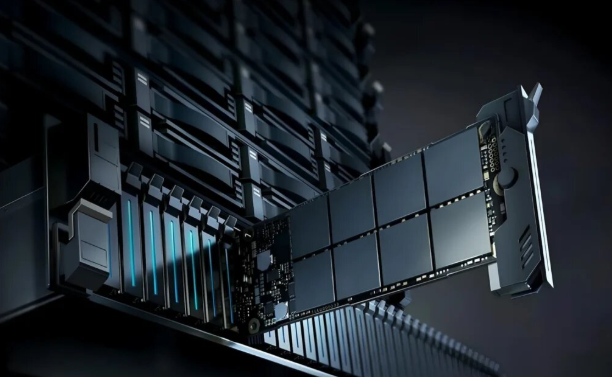
6. Lower Power Consumption Improves Efficiency
Efficiency does not necessarily mean speed. The power consumption of a device is an equally important factor, particularly in notebooks and computing devices that work for extended periods of time.
As SSDs do not require any spinning discs and mechanical parts to function, their energy consumption tends to be lower in comparison to mechanical hard drives.
When it comes to managing a large number of devices for an organization, a small saving in energy consumption can make quite a difference.
7. Less Heat Helps System Operation
Mechanical drives generate heat through the movement of internal components. SSDs have no spinning disks or moving heads, which allows them to operate with less mechanical activity.
Lower heat generation can help maintain a more comfortable operating environment inside a computer. It can also reduce the thermal load placed on cooling systems.
This does not mean every SSD will operate at the same temperature. High-performance models can still generate heat during demanding operations, but the absence of mechanical movement remains an important efficiency advantage.
8. Silent Operation Reduces Mechanical Noise
A conventional hard disk drive has some parts that may generate sounds when in use. The SSD does not have any moving parts, hence operating silently.
While silent operation can be considered insignificant, silent storage could add to an enhanced user experience in office settings or workstations.
The absence of any moving parts eliminates vibration from the SSD as well.
9. Better Resistance to Physical Shock
A mechanical drive can be susceptible to mechanical shock since it is composed of parts that move and disks that spin. A mechanical shock can have an effect on its functioning.
Since the SSD contains no moving mechanical parts and relies only on flash memory, it will perform better in situations where there is movement in the computer’s environment.
It will therefore be able to ensure that the data is protected from any kind of shock in the computer’s working environment.
10. SSDs Work Well in Demanding Environments
The efficiency benefits of solid-state storage also extend to systems that need frequent and fast data access. Servers, workstations, and other professional systems can benefit from storage that responds quickly to repeated read and write requests.
An appropriate SSD may assist in achieving fast access to often-accessed data if the chosen configuration fits the requirements of the application. This will lead to an enhanced storage layer in the whole computing system.
The selection of the appropriate SSD is still dependent on such issues as capacity, interface, endurance, and workload. It is vital that a good SSD fits the system, not only its speed.
Turning Faster Storage Into Better Performance
A solid-state disk can help increase the efficiency of a computer system by eliminating most of the delays that come with mechanical storage. Better performance in terms of data retrieval, loading of applications, multitasking, and file transfers is possible.
The efficiency gains also extend beyond speed. Lower power use, reduced mechanical noise, better shock resistance, and lower mechanical activity make SSDs a practical storage choice for modern systems.
For businesses looking to improve storage performance without changing every part of an existing system, Cloud Ninjas provides access to SSD solutions that can be considered according to different performance and capacity requirements. Selecting a drive that fits the system’s actual workload can turn storage from a performance limitation into a stronger part of the overall computing environment.
