


If you have heard people talk about MCP servers and connectors and wondered whether any of it applies to someone who simply writes for a living, the short answer is yes. It is the reason an AI chat can increasingly do things instead of just talking about them.
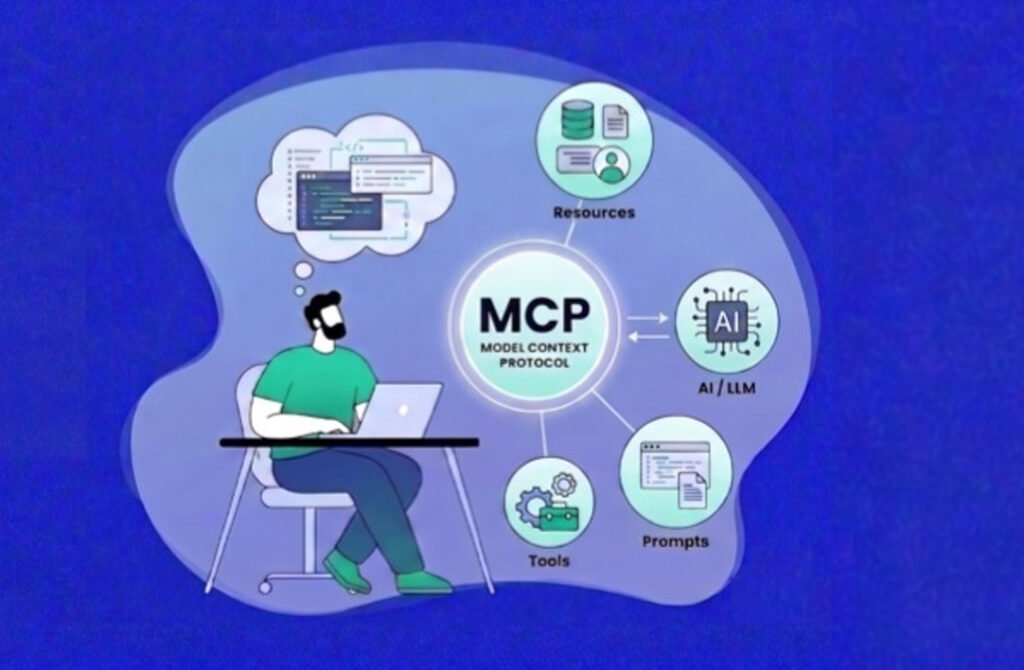
The Model Context Protocol, or MCP, is an open standard for letting AI assistants connect to outside tools and data. It matters to writers because it moves useful tools into the conversation, where the drafting already happens.
The Problem MCP Solves
Before a shared standard, every connection between an AI assistant and a tool had to be built separately. A tool maker needed one integration for each assistant, and each assistant needed one for each tool. The result was a patchwork that few people could use without technical help.
MCP replaces that patchwork with a common language. A tool exposes what it can do through an MCP server, and any assistant that speaks the protocol can discover those abilities and use them. The common analogy is a universal port: build the connector once and it fits many devices.
Where It Came From
Anthropic introduced MCP in November 2024. In December 2025, Anthropic donated the protocol to the Agentic AI Foundation, a directed fund under the Linux Foundation co-founded by Anthropic, Block, and OpenAI, with support from companies including Google, Microsoft, AWS, Cloudflare, and Bloomberg. The aim was vendor-neutral governance so the standard would not depend on a single company.
Anthropic’s own announcement reported more than 97 million monthly SDK downloads across Python and TypeScript and more than 10,000 active public servers at that point, which is the clearest sign the standard moved from experiment to infrastructure.
The Three Pieces in Plain Terms
- The host is the app you talk to, such as a chat assistant.
- The client is the part of that app that speaks to a particular server.
- The server is the outside service that offers tools, such as checking text or reading a calendar.
What This Means for a Working Writer
A writer’s day involves a lot of tab switching: drafting in one place, checking something in another, refining in a third. Every switch costs a little focus. MCP lets some of those external steps happen from inside the conversation, so the draft, the check, and the revision share one thread.
It also means the tools stay under your control. You choose which servers to connect, you approve each connection, and you can disconnect when you no longer need them.
A Concrete Example
The Phrasly MCP server is a practical illustration. It brings Phrasly’s rewriting tool and AI detector into Claude, ChatGPT, and any MCP client, so a draft can be rewritten, scanned, and refined without leaving the chat. The same server also reports account status, such as how many words remain.
Because it runs on the writer’s own Phrasly account, the limits, models, and history match what they would see on the website. Free and paid accounts can both connect.
The same is true of checking. The AI detector on the website is the scan the connected tool runs, so a result in the chat matches what the site would show for the same text.
What to Keep in Mind
MCP is a connection standard, not a quality guarantee. A connected tool is only as good as the tool itself, and anything it returns still deserves a human read. Connections also carry permissions, so it is sensible to read the approval screen before agreeing.
The ecosystem is large and uneven, with servers ranging from polished to abandoned. Preferring tools from providers you already trust is a simple, effective filter.
Common Misunderstandings
- MCP is not an AI model. It is a connection standard that models and tools use to talk to each other.
- Connecting a server does not give it free rein. Permissions are shown and approved by the user.
- A connected tool does not replace judgment. Anything it returns still deserves a human read.
- Not every MCP server is high quality. Registries list many that are abandoned or duplicated.
Clearing up these points early saves a good deal of confusion, particularly for teams introducing connectors to colleagues who are new to the idea.
How to Start Without a Technical Background
The easiest entry point is a single connector you already have a reason to use. Choose one tool you open often, such as a checker or a calendar, follow its setup guide, and try it for a week. Because the setup is usually a pasted address and a sign-in, a technical background is not required.
After that, the pattern repeats for any other tool you add, which is exactly the benefit of a shared standard.
How MCP Differs From an Ordinary Plugin
Plugins and extensions have existed for years, but each was typically built for one specific app. An MCP server is built once and works with any assistant that supports the standard. That difference matters because it lowers the cost of building tools and widens the number of places a good tool can appear.
It also changes who benefits. Tool makers reach more users without building a separate integration for every assistant, and users gain a larger pool of tools that work in the assistant they already prefer.
Questions Writers Often Ask
- Do I need to be technical? No. Most connectors need only an address and a sign-in.
- Is my text sent to the assistant maker or the tool maker? Both may see it, depending on the setup, so read each provider’s policy.
- Can I remove a connector? Yes. Connections can be removed from the assistant’s settings.
- Will it change how my assistant writes? Not by itself. A connector adds abilities, such as checking text, rather than changing the model.
A Sensible Starting Point
Start with one connector tied to a task you already do weekly. Try it for two weeks, note whether it saves time, and decide whether to keep it. Adding tools slowly keeps the setup understandable and makes it easier to tell what each one contributes.
Looking Ahead
The protocol continues to evolve. Recent revisions have moved toward a stateless design at the protocol layer, which simplifies running servers at scale. For writers, those technical details matter less than the outcome: more tools becoming available inside the assistants people already use, with a consistent way to connect them.
The practical advice stays the same. Choose connectors from providers you trust, read the permissions, keep your list short, and treat everything a tool returns as a draft that deserves a human read.
Why Neutral Governance Matters to Users
A standard controlled by one company can change direction or disappear. Moving MCP to a neutral foundation reduces that risk and encourages competing assistants and tool makers to adopt it with confidence. For users, the benefit is indirect but real: a connector built today is more likely to keep working tomorrow.
For anyone curious, the best next step is simply to try one connector on a real task. Seeing a tool respond inside a conversation explains the idea better than any definition, and it takes only a few minutes to find out whether it fits the way you already work.
MCP is infrastructure most writers will never think about, much like the protocols that make email work. What they will notice is that their assistant can now reach the tools they already use, and that a good draft no longer has to leave the conversation to be checked and refined.
