


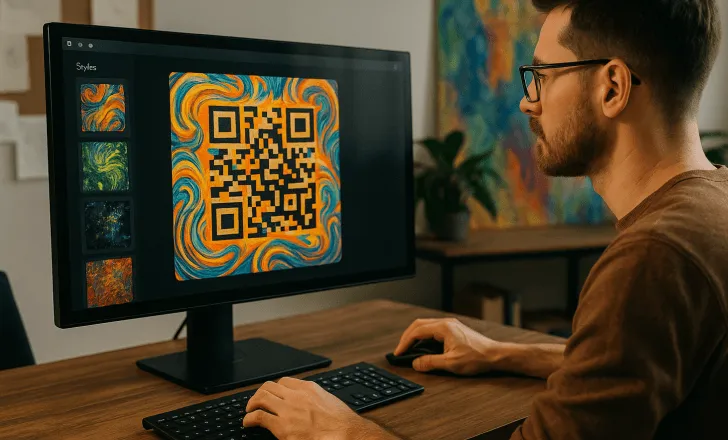
QR codes create a direct connection between a physical object and a digital destination. A customer can scan a printed symbol on packaging, signage, a menu, or a business card and immediately open a relevant online experience. AI-assisted tools can simplify parts of this process by helping users organise content, generate design variations, and prepare campaign assets.
The phrase ai generate QR code does not mean that artificial intelligence changes the basic way the code works. A successful symbol still needs to encode a valid destination, maintain enough contrast, and remain readable after printing. The real value of AI is in reducing repetitive work and helping a business create a more consistent campaign.
Before generating anything, the business should define the purpose of the scan. A code created without a clear destination or call to action may work technically while producing little commercial value.
Start with a clear campaign objective
Every project should begin with one specific action. A business might want customers to:
- View a product guide.
- Join an email list.
- Open a digital menu.
- Save contact details.
- Register for an event.
- Leave feedback.
- Follow social media profiles.
- Access installation instructions.
- Claim an offer.
- Visit a location page.
Trying to place too many unrelated actions behind one scan can make the experience confusing. The first screen should continue the message printed next to the code.
For example, a sign that says “Scan for today’s menu” should lead directly to the current menu rather than a general homepage. The destination and physical call to action need to make the same promise.
What a custom QR code generator AI can automate
A custom QR code generator AI may support more than the creation of the black-and-white matrix. Depending on the platform, automation can help organise campaign names, suggest destination content, prepare visual alternatives, or create a first draft of a mobile page.
Potential uses include:
- Generating several visual treatments.
- Suggesting concise calls to action.
- Creating draft landing-page copy.
- Grouping campaigns by location or channel.
- Recommending naming conventions.
- Producing campaign descriptions.
- Summarising scan results.
- Identifying codes that require review.
Automation should support human decision-making rather than replace quality control. Every destination, design, and printed sample still needs to be checked by a person before publication.
AI-generated text can contain inaccurate or unsuitable information. Businesses should verify all claims, dates, prices, instructions, and contact details.
Understanding the role of ai QR tools
An ai QR workflow can combine code creation, visual customisation, destination management, and reporting. The most useful platform is not necessarily the one that creates the most decorative image. Reliability and campaign control are more important.
The code must remain scannable under real conditions. Excessive decoration, weak contrast, a small quiet zone, or an obstructed pattern can reduce performance.
A controlled design process should consider:
- Foreground and background contrast.
- Minimum printed size.
- Viewing and scanning distance.
- Surface shape.
- Lighting.
- Printing material.
- Error correction.
- Logo placement.
- Space around the symbol.
A design should be tested on several current mobile devices and scanning applications. Testing only the digital preview is not sufficient because printing can change edges, contrast, and scale.
Static and dynamic destinations
A static code contains the final destination directly. If the web address changes, the printed symbol generally needs to be replaced.
A dynamic solution uses a managed redirect. The business may be able to update the final destination without reprinting the physical asset. This can be useful for campaigns that change over time.
Dynamic management may also support analytics such as scan time, general location, device category, or campaign source. Available information depends on the provider and privacy configuration.
Before choosing a format, ask:
- Will the destination need to change?
- How long will the code remain in circulation?
- Is reporting required?
- Who will control the account?
- What happens if the subscription ends?
- Can campaign data be exported?
- Is a custom domain available?
- How are redirects protected?
Long-lived packaging, signs, or printed documents benefit from careful planning because replacing them may be expensive.
Building the destination experience
The scan is only the first step. The destination needs to load quickly, work on mobile devices, and present the promised action clearly.
A useful landing page for QR code campaigns should normally contain:
- A clear headline.
- A short explanation.
- One primary action.
- Readable text.
- Mobile-friendly buttons.
- Relevant images.
- Contact or support information.
- A visible privacy notice where required.
Avoid copying a full desktop homepage into a small-screen experience. A customer who scans a label or poster is often looking for one specific answer.
The page should also remain useful if the visitor opens it outside the original context. Include enough information to identify the product, campaign, event, or business.
Choosing the best QR code platform for small business
The best QR code platform for small business is the one that matches the company’s actual workflow and budget. A small retailer may need a few editable campaigns, while a growing franchise may require multiple users, folders, permissions, templates, and location-level reporting.
Compare platforms by reviewing:
- Static and dynamic code options.
- Landing-page tools.
- Design controls.
- Scan testing.
- Campaign organisation.
- Analytics.
- User permissions.
- Export formats.
- Custom domains.
- Support.
- Data portability.
- Pricing after introductory periods.
Do not choose solely by the number of templates. A simple platform with clear ownership and reliable redirects may provide more value than a complicated tool filled with features the business will not use.
Organising campaigns from the beginning
A naming system prevents confusion when many codes are active.
A campaign name can include:
- Brand or department.
- Channel.
- Location.
- Product.
- Version.
- Launch date.
- Destination type.
For example, a name such as Retail-Store12-Window-Spring-2026 is more useful than New QR 4.
Maintain a register containing the campaign name, destination, printed placement, owner, launch date, status, and review date. This helps the team locate every active code when a page, offer, or policy changes.
Writing an effective call to action
A code without nearby explanation may be ignored because users do not know what they will receive.
Clear calls to action include:
- Scan to view the menu.
- Scan for product instructions.
- Scan to register.
- Scan to see available colours.
- Scan to contact our team.
- Scan to view the event schedule.
The wording should be accurate and concise. Avoid vague labels such as “Scan me” when a more specific benefit can be stated.
The call to action must remain readable at the expected viewing distance. It should not be placed so close to the symbol that it reduces the required clear area.
Testing before publication
Testing should cover the complete user journey:
- Scan the digital version.
- Print at the intended size.
- Test the actual material.
- Try several devices.
- Check under realistic lighting.
- Confirm the destination.
- Submit any form.
- Test buttons and downloads.
- Review loading speed.
- Check analytics.
For outdoor placements, test from the expected distance and angle. For packaging, test on the final shape rather than a flat design file.
A small proof batch can reveal problems before the full print order is produced.
Tracking useful metrics
Scan count alone does not show whether a campaign succeeded. A business should connect scans with the action that follows.
Depending on the goal, useful metrics may include:
- Unique scans.
- Landing-page engagement.
- Form completions.
- Menu views.
- Downloads.
- Registrations.
- Contact requests.
- Purchases.
- Repeat visits.
- Conversion rate.
Add campaign parameters to destination links where appropriate so analytics tools can distinguish between posters, packaging, receipts, and other placements.
Respect privacy requirements and collect only the data needed for a legitimate purpose. Analytics should be described accurately in relevant notices.
Maintaining active codes
Printed assets can remain visible after a campaign ends. Schedule regular reviews to confirm that every destination still works.
The review process should check:
- Redirect status.
- Page availability.
- Accuracy of information.
- Offer dates.
- Contact details.
- Forms.
- Downloaded files.
- Privacy notices.
- Campaign ownership.
Do not delete an old destination without considering where its code remains printed. A helpful replacement page is better than an unexplained error.
Conclusion
AI-assisted QR creation can make campaign planning, design, content preparation, and management more efficient. However, automation does not remove the need for a clear objective, strong contrast, mobile optimisation, testing, and ongoing maintenance.
Small businesses should choose a platform that provides the required level of editing, reporting, ownership, and support. When the printed message, code, and landing page form one consistent journey, scanning becomes a useful part of the customer experience rather than a technical novelty.
