


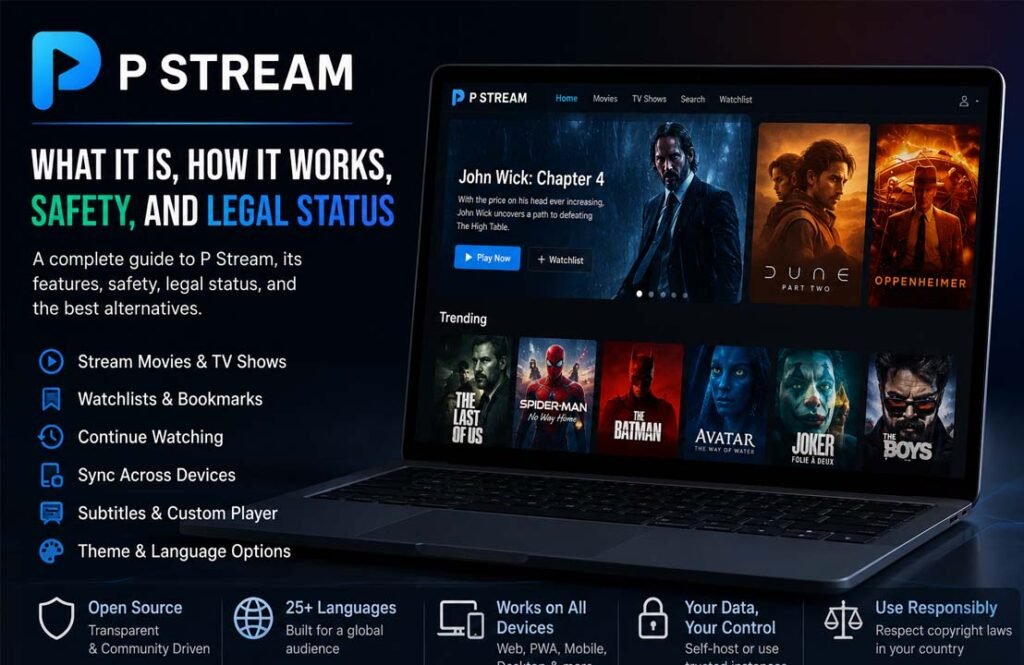
P Stream is an open-source streaming platform that helps users find movies and TV shows from third-party streaming sources. It became popular because of its simple design, ad-free interface, and features like watch history, bookmarks, and cross-device syncing.
Many people search for P Stream to learn how it works, whether it is safe and legal, and what makes it different from other streaming websites. This guide explains everything you need to know, including its features, supported devices, safety, legal status, and the best alternatives.
What is P Stream
P Stream is an open-source streaming platform that lets users browse and watch movies and TV shows through third-party streaming providers. Instead of storing videos on its own servers, it collects available streaming sources and displays them in one simple interface.
The project was created to provide a cleaner streaming experience without the clutter often found on similar websites. It focuses on ease of use while giving users helpful features such as bookmarks, watch history, subtitle support, and playback customization.
P Stream was introduced in 2024 after the earlier Movie-Web project stopped operating. It continued many of the ideas that made Movie-Web popular while adding new features and making the platform easier to customize and self-host.
Because the software is open source, developers can review its code, contribute improvements, or even run their own version. Official documentation also includes guides for users who want to host the platform themselves instead of relying on public services.
How Does P Stream Work?
P Stream does not host movies or TV shows. Instead, it works as a streaming client that searches third-party providers for available video sources. When you choose a movie or series, the platform shows one or more streaming options that can be played through its built-in video player.
This approach separates the platform from the media itself. P Stream mainly provides the interface, search tools, and playback experience, while the actual video files come from external providers.
Users can search for titles, open a movie or episode, and select one of the available streaming sources. If an account is created, viewing progress, bookmarks, and watch history can be synchronized across supported devices.
The platform also allows advanced users to self-host different parts of the project. Depending on the setup, users can host only the frontend, only the account services, or the complete platform.
Key Features of P Stream
Ad-Free Interface
One of P Stream’s main goals is to provide a clean viewing experience. The official project was designed without the advertisements that are common on many free streaming websites, making the interface easier to use.
Movie and TV Show Search
Users can search for both movies and television series from a single interface. Titles are organized with posters, descriptions, and other basic information to make browsing simple.
Watchlists and Bookmarks
P Stream allows users to save movies and shows for later. Bookmarks help keep favorite titles in one place without searching for them again.
Continue Watching and Watch History
When users sign in, the platform can remember what they have already watched. This makes it easy to continue a movie or episode from the previous viewing session on another supported device.
Multiple Streaming Sources
Instead of relying on a single provider, P Stream can display multiple streaming sources for the same title. If one source is unavailable, another may still work.
Custom Video Player
P Stream includes its own video player with useful playback controls. Depending on the available source, users may have options such as changing subtitles, selecting another source, or continuing playback from where they stopped.
Subtitle Support
Subtitle support is built into the platform. Users can customize subtitle settings to improve readability and enjoy content in different languages.
Theme Customization
The interface includes theme options that allow users to change the appearance of the platform based on their personal preference.
Multi-Language Support
P Stream supports more than 25 languages. This makes the platform easier to use for people from different countries and language backgrounds.
Progressive Web App (PWA)
P Stream can be installed as a Progressive Web App on supported browsers. This gives it an app-like experience without requiring a traditional desktop or mobile application.
Cross-Device Sync
With an account, users can synchronize bookmarks, watch history, and viewing progress across multiple supported devices, making it easier to continue watching from almost anywhere.
Supported Devices and Platforms
P Stream is designed to run in modern web browsers, so it works on many different devices without requiring separate software.
Supported platforms include Windows, macOS, Linux, Chromebooks, Android phones and tablets, and iPhone and iPad through compatible browsers. Since it also supports Progressive Web Apps, many users can install it directly from their browser for quicker access.
Because the platform is browser-based, there are no official hardware requirements beyond using an up-to-date browser and having a stable internet connection. Some features, such as account syncing and PWA installation, may depend on browser support.
Is P Stream Safe to Use?
P Stream itself is open-source software that provides an interface for finding streaming sources. It does not host movies or TV shows on its own servers. However, using the platform can still involve risks because the actual content comes from third-party providers.
The safety of P Stream depends largely on the streaming sources and the instance you use. The official public instance is no longer available, and many community-operated mirrors or forks have appeared. These are managed by different operators, so their security and reliability can vary.
Some unofficial streaming sources may contain misleading advertisements, fake download buttons, or malicious scripts. Users should avoid downloading unknown files, installing browser extensions from untrusted websites, or clicking unexpected update prompts.
Privacy is another consideration. Unofficial streaming sites may collect information such as your IP address or browsing activity. Anyone using community-hosted instances should review the site’s privacy practices if they are available.
If you decide to use P Stream or similar software, it is generally safer to use trusted community projects, keep your browser updated, and avoid unofficial downloads or suspicious links.
Is P Stream Legal?
The legal status of P Stream depends on two different factors: the software itself and the content being streamed.
P Stream is open-source software, and creating or using open-source software is generally legal. The project mainly provides the interface and tools for accessing streaming sources rather than storing copyrighted movies or TV shows itself.
However, the legality of watching content through third-party streaming sources depends on your country’s copyright laws and whether those sources have permission to distribute the content.
The official public P Stream service stopped operating in 2026 after legal pressure related to copyright enforcement. While the software remains open source, readers should understand that accessing copyrighted content without permission may violate local laws.
If you are unsure about the rules in your country, it is best to use licensed streaming services that have the rights to distribute their content.
Pros and Cons of P Stream
Pros
- Free to use.
- Open-source project.
- Clean and modern interface.
- Supports movies and TV shows.
- Bookmark and watch history features.
- Cross-device synchronization.
- Subtitle customization.
- Theme customization.
- Progressive Web App support.
- Available in more than 25 languages.
- Can be self-hosted by advanced users.
Cons
- The official public instance has shut down.
- Depends on third-party streaming providers.
- Stream availability may change without notice.
- Community mirrors may not all be trustworthy.
- Legal issues may apply depending on the content and local laws.
- Some unofficial sources may expose users to security or privacy risks.
Common Problems and Troubleshooting
Streams Are Not Loading
Sometimes a selected streaming source may stop working because the provider has removed the content or is temporarily unavailable.
If this happens, try another available source or refresh the page. Since P Stream can display multiple providers, another option may work.
Playback Buffering
Buffering usually happens because of a slow internet connection or problems with the selected streaming provider.
Testing another streaming source or waiting a few minutes may solve the issue. A stable internet connection also helps improve playback.
Missing Streaming Sources
Some movies or TV shows may temporarily have fewer available sources than others.
This usually depends on third-party providers rather than P Stream itself. Availability can change over time.
Subtitle Issues
If subtitles are missing or not displaying correctly, check the subtitle settings in the video player. Selecting another subtitle option or another streaming source may help.
Browser Compatibility Problems
P Stream works best with modern browsers that support current web technologies.
If pages do not load correctly, updating your browser or clearing its cache may resolve the problem.
Best P Stream Alternatives
Tubi
Tubi is a free, legal streaming service supported by advertisements. It offers thousands of movies and TV shows across many genres.
People choose Tubi because it does not require a subscription, has official licensing agreements, and works on web browsers, mobile devices, smart TVs, and streaming devices.
Pluto TV
Pluto TV combines free live television channels with an on-demand movie and TV library.
It is a good choice for users who enjoy both traditional TV-style channels and on-demand content. The service is owned by Paramount and is available in several countries.
Plex
Plex started as a personal media server but now also provides free, ad-supported movies, TV shows, and live television.
Many users choose Plex because they can stream official free content while also organizing their own media library in one application.
Roku Channel
The Roku Channel provides free movies, television shows, and live channels through supported devices and web browsers.
Although it is closely associated with Roku devices, users can also access it on other supported platforms in eligible regions.
Bottom Line
P Stream is an open-source streaming platform designed to make it easier to find movies and TV shows from third-party streaming providers. It offers a modern interface, useful playback features, account syncing, and support for many devices.
At the same time, users should understand its limitations. The platform does not host content itself, but the availability, safety, and legality of streaming sources can vary. The official public service has also shut down, leaving community-operated instances as the main option.
For users who want the safest and most reliable experience, licensed streaming services remain the better choice. They provide legal access to content, regular updates, and dedicated customer support.
Frequently Asked Questions
What is P Stream?
P Stream is an open-source streaming platform that helps users find movies and TV shows from third-party streaming providers. It does not host the media itself.
How does P Stream work?
It searches available third-party streaming providers and lets users choose a source through its built-in interface and video player.
Does P Stream host movies and TV shows?
No. P Stream provides access to streaming sources but does not store movies or TV shows on its own servers.
Is P Stream safe to use?
The software itself is open source, but safety depends on the streaming sources and community-hosted instances being used. Users should be cautious when using unofficial websites.
Is P Stream legal?
The software is generally legal as an open-source project. However, streaming copyrighted content without permission may be illegal depending on your country’s laws.
Is P Stream free?
Yes. P Stream is free to use and does not have an official subscription plan.
What devices support P Stream?
P Stream works on modern web browsers for Windows, macOS, Linux, Android, iPhone, iPad, and Chromebooks. It also supports installation as a Progressive Web App on compatible browsers.
What are the best alternatives to P Stream?
Some popular legal alternatives include Tubi, Pluto TV, Plex, and the Roku Channel. These services provide licensed content and are generally safer for everyday streaming.
Read Next: MollyGram: How to Watch and Download Public Instagram Content
