

Close Menu
    What's New

    Spicy Chat AI Alternatives: How Top Uncensored Apps Stack Up

    September 26, 2026

    What to Check Before Installing a Water Softener: Tests, Sizing Math, and Where It Should Go

    September 26, 2026

    Living Alongside Iguanas, Raccoons, and Gators in South Florida

    September 25, 2026

    Why Your Home Deserves a Window Upgrade This Year

    September 25, 2026

    Injured and Overwhelmed? Here’s How a Personal Injury Lawyer Can Turn Things Around

    September 25, 2026
    Facebook X (Twitter) Instagram Threads
    Facebook X (Twitter) Instagram
    The Intelligence MagazineThe Intelligence Magazine
    Subscribe
    • Home
    • Celebrtity
    • Business
    • Lifestyle
    • Crypto
    • Fashion
    • Tech
    • News
    • Contact Us
    The Intelligence MagazineThe Intelligence Magazine
    Home»Tech»TiviMate Explained: Features, Pricing, Safety, and Everything You Need to Know
    Tech

    TiviMate Explained: Features, Pricing, Safety, and Everything You Need to Know

    Editorial TeamBy Editorial TeamAugust 5, 2026No Comments15 Mins Read
    TiviMate
    Share
    Facebook Twitter LinkedIn Pinterest Email Copy Link

    TiviMate is one of the most popular IPTV players for Android-based streaming devices. It helps users organize and watch live TV channels from their own IPTV service through a clean, TV-friendly interface. However, many people are unsure what TiviMate actually does, whether it is free, if it is safe to use, or what the Premium version offers.

    This guide explains everything you need to know about TiviMate. You’ll learn how it works, its main features, pricing, supported devices, safety, legal status, and whether TiviMate Premium is worth considering.

    What Is TiviMate?

    TiviMate is an IPTV player designed for Android TV devices. Instead of providing television channels, it lets users watch IPTV services they already subscribe to. You simply connect your IPTV playlist, and TiviMate displays your channels in an organized, easy-to-use interface.

    Unlike streaming platforms such as Netflix or Disney+, TiviMate does not host movies, TV shows, or live channels. It works as a media player that reads playlist information supplied by your IPTV provider. This is an important difference because many new users mistakenly think buying TiviMate Premium includes access to live TV. It does not.

    The application is developed by Armobsoft FZE and has become one of the best-known IPTV players because of its simple design, fast performance, and wide range of customization options. It is especially popular among users who watch IPTV on Android TV boxes, Amazon Fire TV devices, Google TV, and NVIDIA Shield.

    One of TiviMate’s biggest strengths is its television-style interface. Instead of showing channels in a basic list, it presents them in a layout similar to traditional cable or satellite TV. This makes browsing channels, checking program schedules, and switching between content much easier.

    Although TiviMate is primarily built for televisions, many users also install it on compatible Android-based streaming devices throughout their homes. Its remote-friendly design makes navigation smooth even when managing thousands of channels.

    How Does TiviMate Work?

    TiviMate acts as a bridge between your IPTV provider and your streaming device. After installing the app, you add your IPTV service using the login details or playlist information provided by your IPTV provider. TiviMate then loads your channels, program guide, and other available content into its interface.

    The app supports several common IPTV formats, including:

    • M3U playlists
    • Xtream Codes login
    • XMLTV Electronic Program Guide (EPG)

    Once your playlist is added, TiviMate organizes the available channels into categories and displays them with logos, schedules, and program details when supported by your IPTV provider.

    It’s important to understand that TiviMate does not create or control the streams you watch. The quality of your viewing experience depends largely on:

    • Your IPTV provider
    • Your internet connection
    • The quality of the playlist
    • Your streaming device

    For example, if your IPTV provider experiences server problems, channels may buffer or stop working even though TiviMate itself is functioning normally.

    Many IPTV services also provide an Electronic Program Guide (EPG), which allows TiviMate to display current and upcoming TV schedules. If your provider supports catch-up TV, TiviMate can also display and play previously aired programs.

    Because the app supports multiple playlists in its Premium version, users can combine channels from different IPTV providers into one organized interface instead of switching between multiple applications.

    TiviMate Features

    One reason TiviMate has become so popular is its large collection of viewing and management tools. While some features are available in the free version, many advanced options require TiviMate Premium.

    Modern TV-Style Interface

    TiviMate is designed specifically for televisions. Its layout looks similar to a traditional cable TV guide, making it comfortable for users moving from cable or satellite services.

    The interface is optimized for remote controls and allows quick navigation through channel lists, categories, and menus without feeling cluttered.

    Electronic Program Guide (EPG)

    The Electronic Program Guide, commonly called EPG, displays TV schedules directly inside the app.

    When supported by your IPTV provider, the guide can show:

    • Current programs
    • Upcoming shows
    • Program descriptions
    • Start and end times
    • Channel schedules

    This makes it much easier to plan what you want to watch.

    Multiple Playlist Support

    One of the most requested Premium features is support for multiple IPTV playlists.

    Instead of using separate apps for different IPTV subscriptions, users can combine several playlists into one interface. This is especially useful for people who use different providers for sports, entertainment, international channels, or local programming.

    Favorites and Channel Groups

    Large IPTV playlists often contain thousands of channels. TiviMate makes them easier to manage by allowing users to:

    • Create favorite channels
    • Organize custom groups
    • Hide unwanted channels
    • Rearrange categories

    These tools help reduce clutter and make everyday navigation much faster.

    Search Function

    The built-in search feature allows users to quickly find channels or available programs without scrolling through long channel lists.

    This becomes particularly helpful when using large IPTV playlists with hundreds or even thousands of channels.

    Picture-in-Picture and Multi-view

    Some supported devices allow Picture-in-Picture mode, letting users continue watching while using other compatible apps.

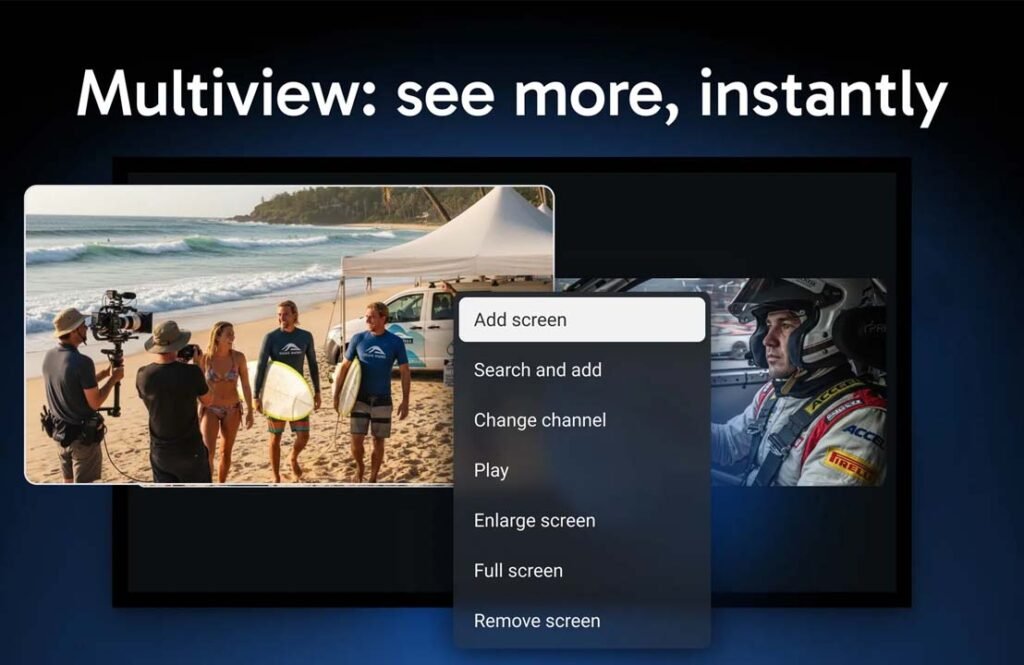
    TiviMate Premium also includes Multi-view support on compatible hardware. This feature allows several live channels to appear on the same screen at once, making it especially useful for following multiple sporting events or news broadcasts.

    Recording and Scheduled Recording

    Premium users can record supported live TV broadcasts for later viewing.

    The app also supports scheduled recordings, allowing users to automatically save future programs without needing to start the recording manually.

    Recording features depend on both device storage and IPTV provider compatibility.

    Catch-up TV Support

    Some IPTV providers offer catch-up services that let users watch programs after they have aired.

    When this feature is available, TiviMate integrates it directly into the program guide, making it easy to access previously broadcast content.

    Parental Controls

    Families can use parental controls to limit access to selected channels or content by setting a PIN code.

    This helps prevent children from opening channels that parents want to restrict.

    Backup and Restore

    Setting up playlists, favorites, and channel groups can take time. TiviMate Premium allows users to create backups of their settings and restore them later.

    This feature is especially useful when:

    • Changing streaming devices
    • Reinstalling the app
    • Recovering after technical issues
    • Setting up multiple compatible devices

    External Player Support

    TiviMate can also work with supported external media players for users who prefer alternative playback software for certain streams.

    Interface Customization

    Users can personalize many parts of the interface to better match their viewing habits.

    Customization options include:

    • Themes
    • Channel order
    • Guide appearance
    • Favorites
    • Display preferences
    • Playback settings

    These options help users build an IPTV experience that feels more organized and easier to use.

    TiviMate Free vs Premium

    TiviMate is available in both a free version and a Premium version. The free version gives users access to the app’s basic IPTV playback features, while Premium unlocks many of the advanced tools that make TiviMate popular among regular IPTV users.

    For someone using only one IPTV playlist with basic viewing needs, the free version may be enough. It allows users to load a playlist, browse channels, and watch live TV through a simple interface.

    However, users with larger IPTV libraries or multiple subscriptions often reach the limits of the free version fairly quickly. Features like recording, multiple playlists, advanced customization, and backup tools are only available through TiviMate Premium.

    The biggest differences between the two versions include:

    Feature Free Premium
    IPTV Playback ✔ ✔
    Multiple Playlists ✘ ✔
    Recording ✘ ✔
    Scheduled Recording ✘ ✔
    Advanced EPG Features Limited ✔
    Backup & Restore ✘ ✔
    Multi-view ✘ ✔
    Advanced Customization Limited ✔
    Channel Organization Basic Advanced

    Premium does not add television channels or IPTV subscriptions. Instead, it unlocks additional tools that improve how users organize, manage, and watch the IPTV services they already have.

    TiviMate Pricing and Subscription Plans

    TiviMate offers both a free version and a Premium version. The Premium version unlocks advanced features, while the free version is suitable for basic IPTV playback.

    Depending on your region and the current offers from the developer, Premium may be available as an annual subscription or a lifetime purchase. Because pricing can change over time, it is best to check the official TiviMate website or the TiviMate Companion app for the latest prices.

    Premium only unlocks application features. It does not include IPTV channels, movies, or a television subscription.

    Premium Activation

    Premium is linked to your TiviMate account rather than a single device. Many users activate Premium through the TiviMate Companion app, which is used to purchase subscriptions, manage devices, and activate eligible streaming devices.

    The exact number of devices that can be activated may change over time, so users should always review the latest official subscription terms.

    Supported Devices and Compatibility

    TiviMate is designed primarily for Android TV devices and works well with many popular streaming products.

    Supported devices include:

    • Android TV
    • Google TV
    • Amazon Fire TV
    • Amazon Fire TV Stick
    • Fire TV Cube
    • NVIDIA Shield TV
    • Chromecast with Google TV
    • Android TV boxes
    • Sony Android TVs

    The app is built for television screens and remote controls, making it much easier to use on a TV than on a phone or tablet.

    Apple TV, iPhone, and iPad are not officially supported in the same way. Users looking for an IPTV player on Apple’s ecosystem may need to consider other applications.

    For the best experience, users should have:

    • A stable internet connection
    • A compatible Android-based streaming device
    • An IPTV subscription from a third-party provider
    • Enough storage space if they plan to record live TV

    Internet speed also affects streaming quality. While there is no official minimum speed, a connection of at least 10 Mbps is generally suitable for HD streaming, while 4K content usually benefits from faster connections.

    Is TiviMate Safe and Legal?

    Many new users ask whether TiviMate is safe and whether it is legal to use. These are two different questions.

    Is TiviMate Safe?

    TiviMate itself is generally considered safe when downloaded from official sources, such as the Google Play Store or the official TiviMate website.

    Like any application, downloading unofficial APK files from unknown websites may increase security risks. Using trusted download sources helps reduce those risks.

    Privacy and Security

    TiviMate works with playlists that users provide themselves. The privacy of your streaming activity depends not only on the app but also on the IPTV provider you choose.

    To improve security:

    • Download TiviMate from official sources.
    • Use a trusted IPTV provider.
    • Keep the app updated.
    • Avoid modified or unofficial APK files.

    Is TiviMate Legal?

    Yes. TiviMate itself is legal because it is simply an IPTV player.

    However, the legality of the content you watch depends on the IPTV service and playlists you use. Watching copyrighted content without proper authorization may violate copyright laws in your country.

    For this reason, users should only use IPTV services that have the legal right to distribute the content they provide.

    Pros and Cons of TiviMate

    Like any software, TiviMate has both strengths and limitations.

    Pros

    • Clean and easy-to-use interface
    • Designed specifically for Android TV
    • Supports multiple IPTV playlists
    • Excellent Electronic Program Guide (EPG)
    • Recording and scheduled recording
    • Multi-view support on compatible devices
    • Backup and restore settings
    • Extensive customization options
    • Regular updates and improvements

    Cons

    • Does not include TV channels
    • Premium is required for many advanced features
    • Primarily designed for Android devices
    • Recording depends on IPTV provider compatibility
    • Limited support for Apple devices
    • Streaming quality depends on your IPTV provider and internet connection

    Common Problems and Troubleshooting

    Even though TiviMate is generally reliable, users may occasionally experience problems. Most issues are related to IPTV providers, playlists, or internet connections rather than the app itself.

    Playlist Not Loading

    If your playlist does not load, first check that your playlist URL or login details are correct.

    If the information is correct but the problem continues, your IPTV provider may be experiencing temporary issues. Restarting the app and refreshing the playlist can also help.

    Premium Activation Issues

    If Premium features do not appear after purchase, verify that you are signed in with the correct TiviMate account.

    Restarting the app or signing in again often resolves temporary activation problems. If the issue continues, contact official TiviMate support.

    EPG Not Updating

    An empty or outdated program guide is usually caused by problems with the EPG source rather than the app.

    Refreshing the playlist, updating the EPG settings, or waiting for your IPTV provider to update its guide may solve the issue.

    Buffering During Playback

    Buffering is one of the most common IPTV problems.

    Possible causes include:

    • Slow internet
    • Weak Wi-Fi signal
    • IPTV server congestion
    • Temporary provider issues

    Using a wired Ethernet connection, when possible, often improves streaming stability.

    Recording Problems

    Recording may fail if your device does not have enough storage or if your IPTV provider does not fully support recording.

    Check available storage space and confirm that your provider allows recording before troubleshooting further.

    Tips to Get the Best Experience with TiviMate

    A few simple habits can improve your overall IPTV experience.

    • Download TiviMate only from official sources.
    • Choose a reliable IPTV provider with stable servers.
    • Keep your playlists and EPG updated.
    • Remove channels you never watch to keep navigation simple.
    • Organize favorite channels into groups.
    • Create regular backups of your settings.
    • Keep the app updated to receive bug fixes and new features.
    • Use a fast internet connection, preferably Ethernet for the most stable streaming.

    These small changes can make TiviMate easier to use and reduce common playback issues.

    Best TiviMate Alternatives

    IPTV Smarters Pro

    IPTV Smarters Pro is one of the most popular IPTV players available today. It supports Android, iOS, Windows, macOS, and several smart TV platforms.

    Many users choose it because it works across more operating systems than TiviMate. It also supports playlists, live TV, video on demand, and catch-up features.

    While it offers broad compatibility, many Android TV users prefer TiviMate because its television interface feels more polished and is easier to navigate with a remote control.

    Sparkle TV

    Sparkle TV is another IPTV player built mainly for Android TV devices.

    It offers a modern interface, Electronic Program Guide support, recording, favorites, and customization features similar to TiviMate.

    Users looking for an Android TV-focused alternative often consider Sparkle TV because it provides a familiar television-style experience.

    Televizo

    Televizo is a lightweight IPTV player designed for Android devices.

    It supports M3U playlists, Xtream Codes, Electronic Program Guides, and a clean interface. Some users prefer it because it is simple to set up and performs well on lower-powered devices.

    It is a good choice for users who want a straightforward IPTV player without many advanced customization options.

    OTT Navigator

    OTT Navigator focuses on flexibility and advanced playlist management.

    It includes powerful filtering, sorting, search tools, and customization settings that appeal to experienced IPTV users.

    People who enjoy fine-tuning every part of their IPTV setup often choose OTT Navigator, although new users may find it slightly more complex than TiviMate.

    Perfect Player

    Perfect Player has been available for many years and remains a popular IPTV application.

    It provides reliable IPTV playback and supports common playlist formats. However, its interface is simpler and looks more technical than newer IPTV players.

    It is best suited for users who want a lightweight application without many modern interface features.

    Kodi with IPTV Add-ons

    Kodi is a full media center rather than just an IPTV player.

    By installing IPTV add-ons, users can watch live TV alongside local media, music, and other entertainment.

    Kodi offers extensive customization, but setup is more complicated than TiviMate. It is often chosen by advanced users who want one application for many different types of media.

    ProgTV

    ProgTV supports IPTV, internet radio, and other digital television sources.

    It includes Electronic Program Guide support, recording features, and multiple viewing modes.

    Users who need support for several types of television sources may find ProgTV useful, although its interface is less modern than TiviMate.

    Bottom Line

    TiviMate is one of the most complete IPTV players available for Android TV devices. It does not provide television channels or IPTV subscriptions, but it gives users an organized and easy way to watch the IPTV services they already have.

    The free version covers basic viewing needs, while TiviMate Premium adds valuable features such as multiple playlists, recording, backup and restore, advanced customization, and Multi-view support.

    If you regularly watch IPTV on Android TV, Fire TV, or Google TV, TiviMate offers a clean interface and practical tools that make managing large channel lists much easier. Users who only need basic playback may find the free version sufficient, while those looking for more control will likely benefit from Premium.


    Frequently Asked Questions

    What is TiviMate used for?

    TiviMate is an IPTV player that lets users organize and watch IPTV playlists from third-party IPTV providers. It does not provide TV channels itself.

    Does TiviMate provide IPTV channels?

    No. TiviMate only plays IPTV playlists supplied by users. You must have your own IPTV service to watch live TV.

    Is TiviMate free to use?

    Yes. A free version is available with basic features. A Premium version unlocks additional tools such as recording, multiple playlists, and advanced customization.

    What is the difference between TiviMate Free and Premium?

    The free version supports basic IPTV playback, while Premium adds features such as recording, Multi-view, backup and restore, multiple playlist support, and more customization options.

    Is TiviMate legal?

    Yes. TiviMate itself is legal because it is an IPTV player. The legality of the content depends on the IPTV service and playlists you choose to use.

    Is TiviMate safe to install?

    TiviMate is generally considered safe when downloaded from official sources. Users should avoid unofficial APK files from unknown websites.

    Which devices support TiviMate?

    TiviMate is designed mainly for Android TV devices, including Google TV, Amazon Fire TV, Fire TV Stick, NVIDIA Shield, Chromecast with Google TV, Android TV boxes, and compatible smart TVs.

    What are the best alternatives to TiviMate?

    Popular alternatives include IPTV Smarters Pro, Sparkle TV, Televizo, OTT Navigator, Perfect Player, Kodi with IPTV add-ons, and ProgTV. Each offers different features and may suit different types of IPTV users.


    Read Next: What Is Putlocker.pe? Complete Guide to Features, Safety, and Legal Status

    Share. Facebook Twitter Pinterest LinkedIn Tumblr Email Copy Link
    Editorial Team
    • Website

    Related Posts

    Living Alongside Iguanas, Raccoons, and Gators in South Florida

    September 25, 2026

    The Role of Motion Sensors in Modern Hotel Thermostats

    September 23, 2026

    The Hidden Cost of a Dirty Office (And How to Fix It)

    September 21, 2026
    Latest Posts

    Spicy Chat AI Alternatives: How Top Uncensored Apps Stack Up

    September 26, 2026

    What to Check Before Installing a Water Softener: Tests, Sizing Math, and Where It Should Go

    September 26, 2026

    Living Alongside Iguanas, Raccoons, and Gators in South Florida

    September 25, 2026

    Why Your Home Deserves a Window Upgrade This Year

    September 25, 2026

    Injured and Overwhelmed? Here’s How a Personal Injury Lawyer Can Turn Things Around

    September 25, 2026
    Popular Posts

    Who Is Lisa Thorner? The Story of Damon Wayans’ Ex-Wife

    By Zaid

    Who Is Maria Braccini? What We Know About Jannik Sinner’s Ex-Girlfriend

    By Zaid

    iGanony Review 2026: Is It Safe for Anonymous Instagram Story Viewing?

    By Editorial Team
    Categories
    • Artificial Intelligence (7)
    • Blog (51)
    • Business (53)
    • Celebrtity (232)
    • Entertainment (13)
    • Fashion (5)
    • Health (11)
    • Lifestyle (81)
    • News (143)
    • Sports (1)
    • Tech (44)
    • Travel (2)
    The Intelligence Magazine
    Facebook X (Twitter) Instagram Pinterest
    • Home
    • About Us
    • Privacy Policy
    • Sitemap
    • Contact Us
    © 2026 The Intelligence Magazine All Rights Reserved

    Type above and press Enter to search. Press Esc to cancel.